Pro Git · Eduspaces ·
https://eduspaces.ro/s/pro-git/figuri/?cap=s-6
https://eduspaces.ro/s/pro-git/figuri/?cap=s-6
Figuri și tabele
188 figuri și tabele, fiecare legată de conceptele pe care le ilustrează (după legendă, etichetele din imagine și textul care o citează).
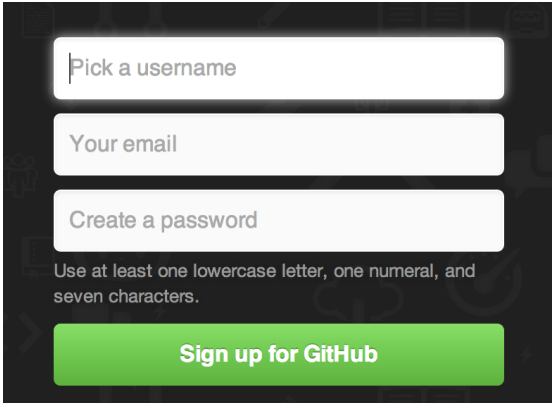 Figure 81 p. 173
The GitHub sign-up form
GitHub
Figure 81 p. 173
The GitHub sign-up form
GitHub
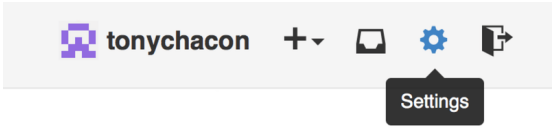 Figure 82 p. 174
The “Account settings” link
Figure 82 p. 174
The “Account settings” link
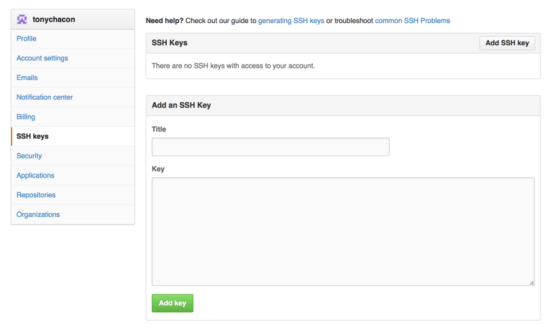 Figure 83 p. 174
The “SSH keys” link
SSH public keygit checkoutGitHub organizationSSH protocol
Figure 83 p. 174
The “SSH keys” link
SSH public keygit checkoutGitHub organizationSSH protocol
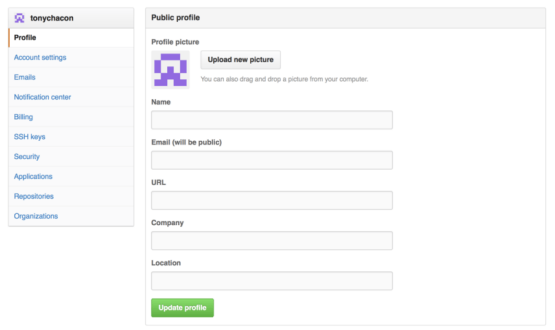 Figure 84 p. 175
The “Profile” link
GitHub organizationSSH public key
Figure 84 p. 175
The “Profile” link
GitHub organizationSSH public key
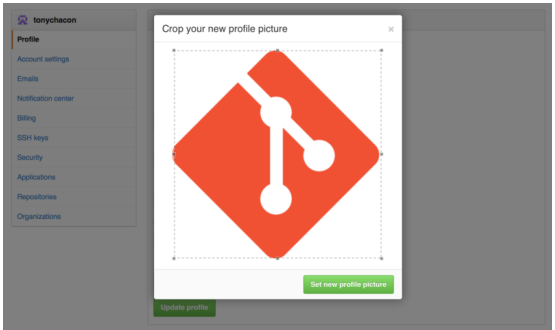 Figure 85 p. 175
Crop your uploaded avatar
Figure 85 p. 175
Crop your uploaded avatar
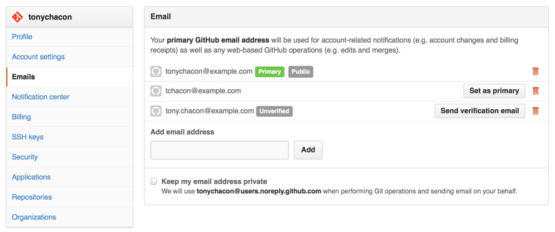 Figure 86 p. 176
Add all your email addresses
GitHubGitHub organizationMergeRepositorySSH public key
Figure 86 p. 176
Add all your email addresses
GitHubGitHub organizationMergeRepositorySSH public key
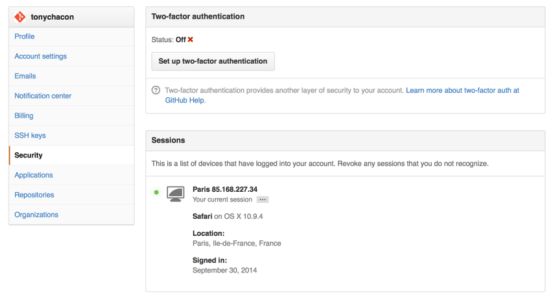 Figure 87 p. 177
FA in the Security Tab
Two-factor authenticationGitHubGitHub organizationSSH public key
Figure 87 p. 177
FA in the Security Tab
Two-factor authenticationGitHubGitHub organizationSSH public key
 Figure 88 p. 178
The “Fork” button
Fork
Figure 88 p. 178
The “Fork” button
Fork
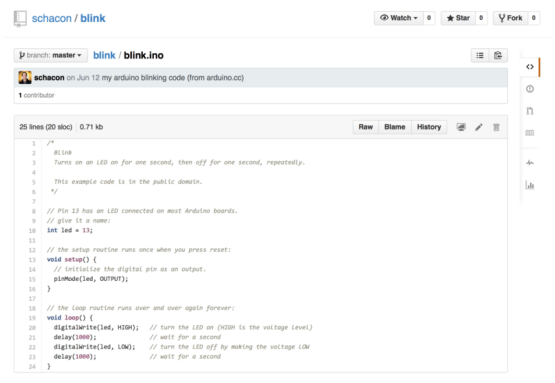 Figure 89 p. 179
The project we want to contribute to
Commit historygit resetmaster
Figure 89 p. 179
The project we want to contribute to
Commit historygit resetmaster
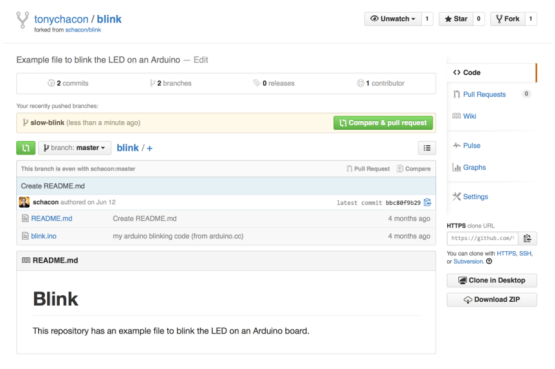 Figure 90 p. 181
Pull Request button
Pull RequestAuthorBranchCommitFork+6
Figure 90 p. 181
Pull Request button
Pull RequestAuthorBranchCommitFork+6
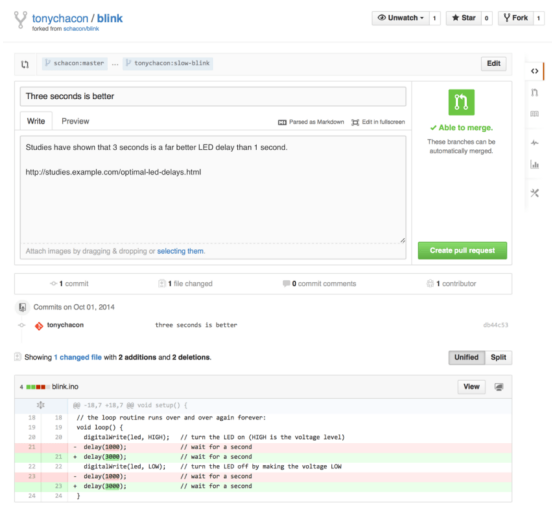 Figure 91 p. 182
Pull Request creation page
Pull RequestBranchCommitForkGitHub Flavored Markdown+2
Figure 91 p. 182
Pull Request creation page
Pull RequestBranchCommitForkGitHub Flavored Markdown+2
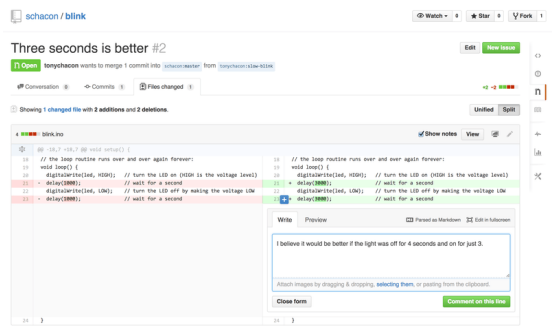 Figure 92 p. 183
Comment on a specific line of code in a Pull Request
Pull RequestCommitForkGitHub Flavored Markdownmaster+1
Figure 92 p. 183
Comment on a specific line of code in a Pull Request
Pull RequestCommitForkGitHub Flavored Markdownmaster+1
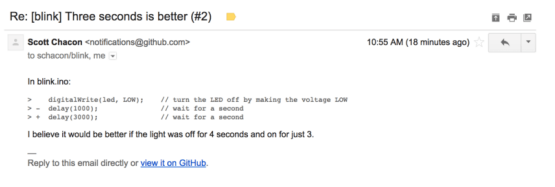 Figure 93 p. 183
Comments sent as email notifications
GitHub
Figure 93 p. 183
Comments sent as email notifications
GitHub
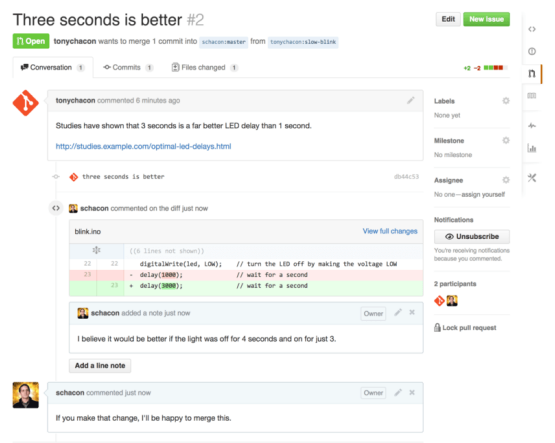 Figure 94 p. 184
Pull Request discussion page
Pull RequestCommitmasterMergePatch
Figure 94 p. 184
Pull Request discussion page
Pull RequestCommitmasterMergePatch
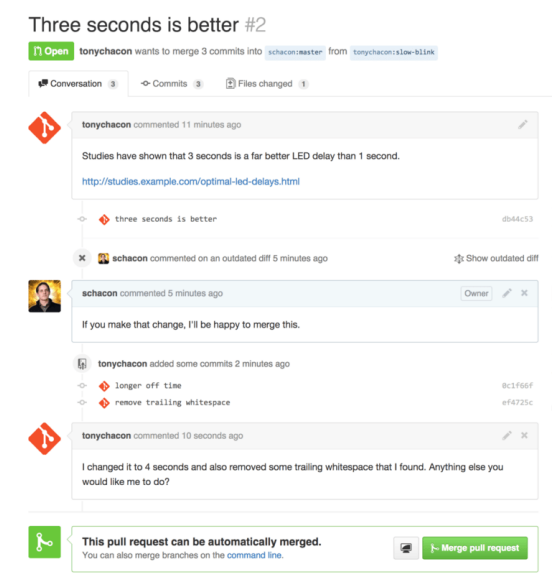 Figure 95 p. 185
Pull Request final
Pull RequestBranchCommand lineCommitmaster+2
Figure 95 p. 185
Pull Request final
Pull RequestBranchCommand lineCommitmaster+2
 Figure 96 p. 187
Pull Request does not merge cleanly
MergePull RequestMerge conflictRepository
Figure 96 p. 187
Pull Request does not merge cleanly
MergePull RequestMerge conflictRepository
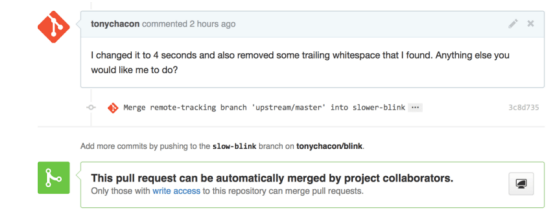 Figure 97 p. 188
Pull Request now merges cleanly
MergePull RequestBranchCollaboratorCommit+5
Figure 97 p. 188
Pull Request now merges cleanly
MergePull RequestBranchCollaboratorCommit+5
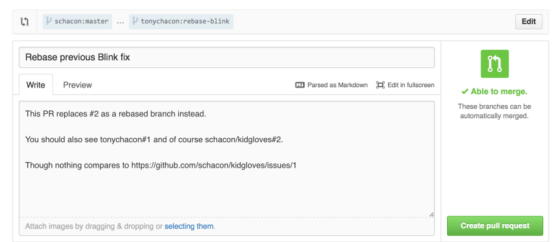 Figure 98 p. 189
Cross references in a Pull Request
Pull RequestReferenceBranchGitHubGitHub Flavored Markdown+3
Figure 98 p. 189
Cross references in a Pull Request
Pull RequestReferenceBranchGitHubGitHub Flavored Markdown+3
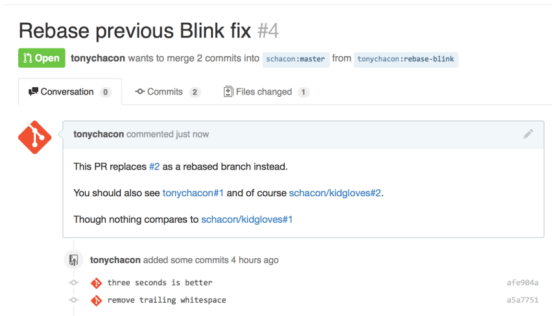 Figure 99 p. 189
Cross references rendered in a Pull Request
Pull RequestReferenceBranchCommitmaster+2
Figure 99 p. 189
Cross references rendered in a Pull Request
Pull RequestReferenceBranchCommitmaster+2
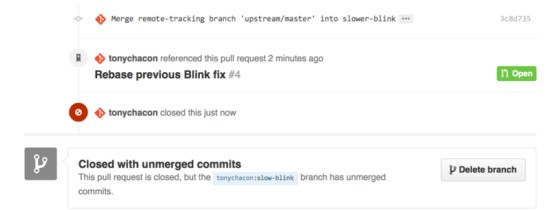 Figure 100 p. 190
Link back to the new Pull Request in the closed Pull Request timeline
Pull RequestBranchCommitmasterMerge+5
Figure 100 p. 190
Link back to the new Pull Request in the closed Pull Request timeline
Pull RequestBranchCommitmasterMerge+5
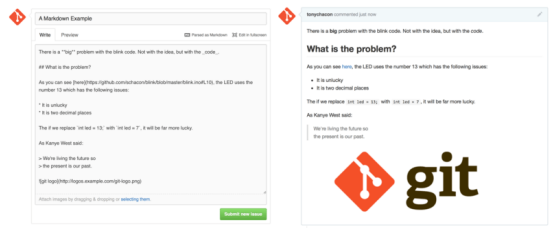 Figure 101 p. 191
An example of GitHub Flavored Markdown as written and as rendered
GitHub Flavored Markdown
Figure 101 p. 191
An example of GitHub Flavored Markdown as written and as rendered
GitHub Flavored Markdown
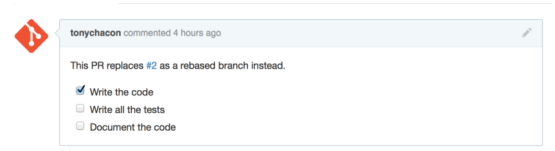 Figure 102 p. 191
Task lists rendered in a Markdown comment
GitHub Flavored MarkdownBranchRebase
Figure 102 p. 191
Task lists rendered in a Markdown comment
GitHub Flavored MarkdownBranchRebase
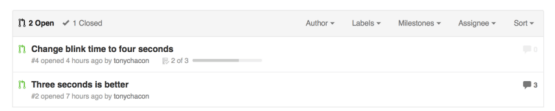 Figure 103 p. 192
Task list summary in the Pull Request list
Pull RequestAuthor
Figure 103 p. 192
Task list summary in the Pull Request list
Pull RequestAuthor
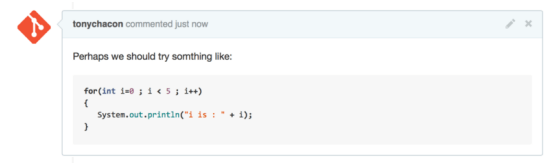 Figure 104 p. 193
Rendered fenced code example
Figure 104 p. 193
Rendered fenced code example
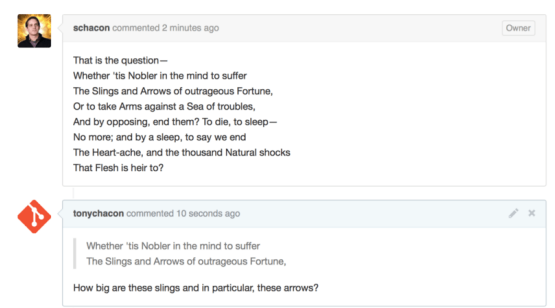 Figure 105 p. 193
Rendered quoting example
Figure 105 p. 193
Rendered quoting example
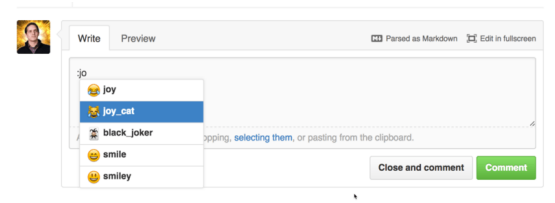 Figure 106 p. 194
Emoji autocompleter in action
GitHub Flavored Markdown
Figure 106 p. 194
Emoji autocompleter in action
GitHub Flavored Markdown
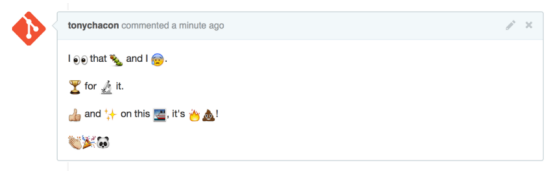 Figure 107 p. 194
Heavy emoji commenting
Figure 107 p. 194
Heavy emoji commenting
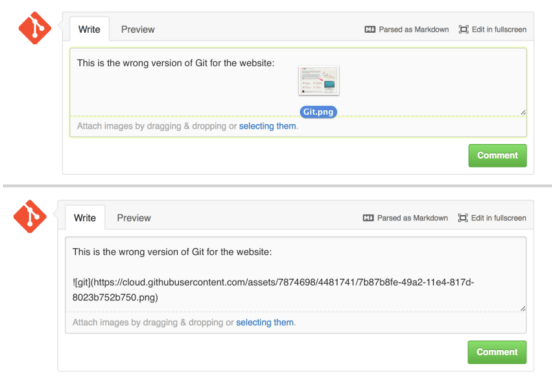 Figure 108 p. 195
Drag and drop images to upload them and auto-embed them
GitHub Flavored Markdown
Figure 108 p. 195
Drag and drop images to upload them and auto-embed them
GitHub Flavored Markdown
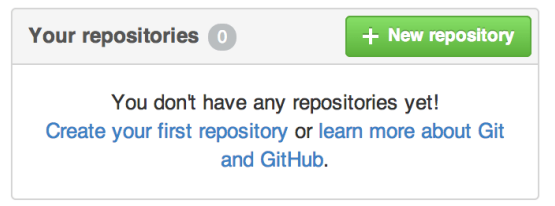 Figure 109 p. 197
The “Your repositories” area
RepositoryGitHub
Figure 109 p. 197
The “Your repositories” area
RepositoryGitHub
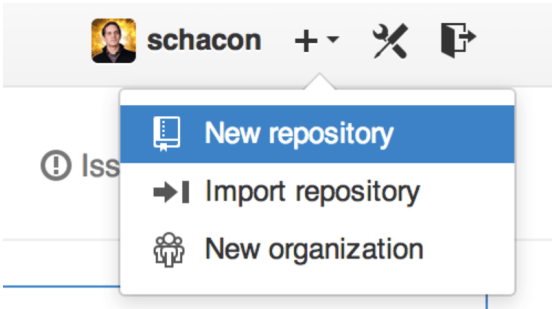 Figure 110 p. 197
The “New repository” dropdown
RepositoryGitHub organization
Figure 110 p. 197
The “New repository” dropdown
RepositoryGitHub organization
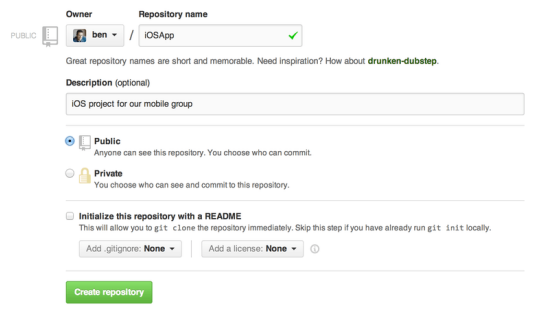 Figure 111 p. 198
The “new repository” form
Repository.gitignoreCommitgit clonegit init
Figure 111 p. 198
The “new repository” form
Repository.gitignoreCommitgit clonegit init
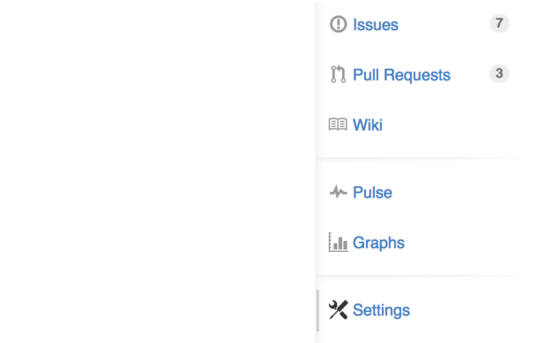 Figure 112 p. 199
The repository settings link
RepositoryPull Request
Figure 112 p. 199
The repository settings link
RepositoryPull Request
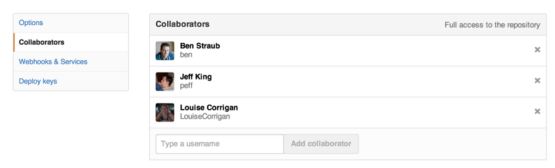 Figure 113 p. 199
The repository collaborators box
CollaboratorRepository
Figure 113 p. 199
The repository collaborators box
CollaboratorRepository
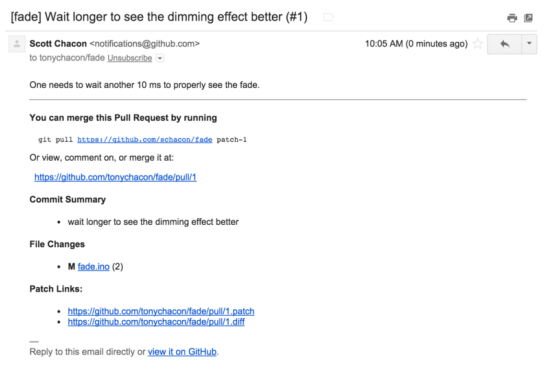 Figure 114 p. 200
Email notification of a new Pull Request
Pull RequestCommitgit pullGitHubMerge+1
Figure 114 p. 200
Email notification of a new Pull Request
Pull RequestCommitgit pullGitHubMerge+1
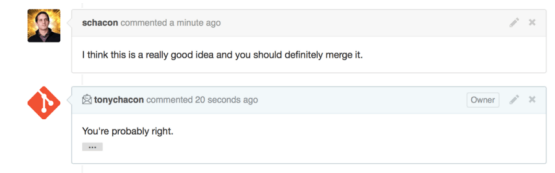 Figure 115 p. 201
Responses to emails are included in the thread
Merge
Figure 115 p. 201
Responses to emails are included in the thread
Merge
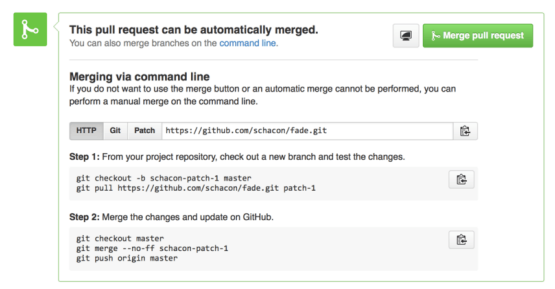 Figure 116 p. 202
Merge button and instructions for merging a Pull Request manually
MergePull RequestBranchCommand linegit checkout+8
Figure 116 p. 202
Merge button and instructions for merging a Pull Request manually
MergePull RequestBranchCommand linegit checkout+8
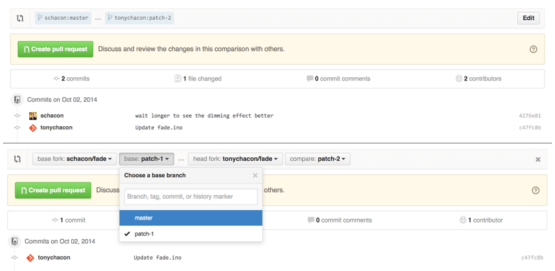 Figure 117 p. 205
Manually change the Pull Request target fork and branch
BranchForkPull RequestCommitCommit history+3
Figure 117 p. 205
Manually change the Pull Request target fork and branch
BranchForkPull RequestCommitCommit history+3
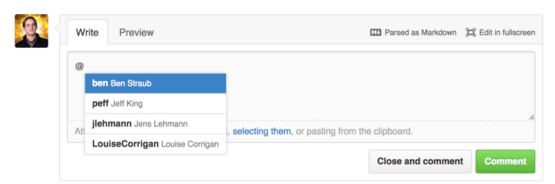 Figure 118 p. 205
Start typing @ to mention someone
GitHub Flavored Markdown
Figure 118 p. 205
Start typing @ to mention someone
GitHub Flavored Markdown
 Figure 119 p. 206
Unsubscribe from an Issue or Pull Request
Pull Request
Figure 119 p. 206
Unsubscribe from an Issue or Pull Request
Pull Request
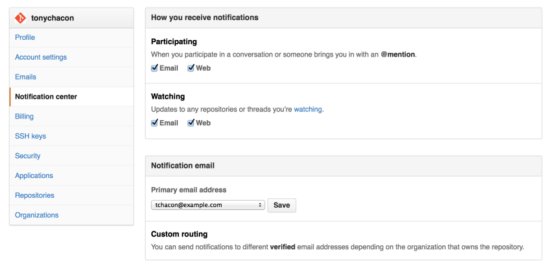 Figure 120 p. 207
Notification center options
GitHub organizationRepositorySSH public key
Figure 120 p. 207
Notification center options
GitHub organizationRepositorySSH public key
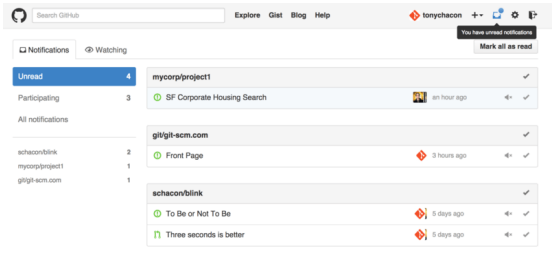 Figure 121 p. 207
Notification center
Figure 121 p. 207
Notification center
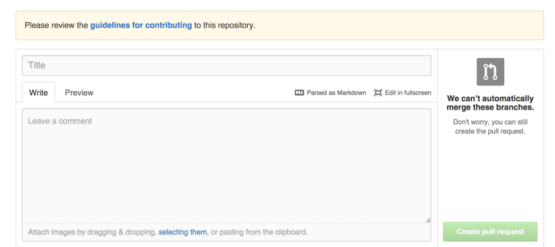 Figure 122 p. 209
Opening a Pull Request when a CONTRIBUTING file exists
Pull RequestBranchGitHub Flavored MarkdownMergeRepository
Figure 122 p. 209
Opening a Pull Request when a CONTRIBUTING file exists
Pull RequestBranchGitHub Flavored MarkdownMergeRepository
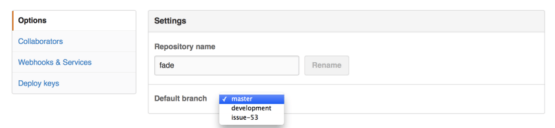 Figure 123 p. 210
Change the default branch for a project
Default branch nameCollaboratorRepository
Figure 123 p. 210
Change the default branch for a project
Default branch nameCollaboratorRepository
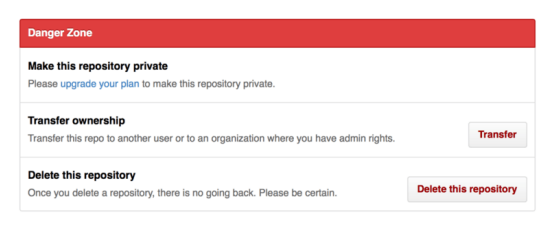 Figure 124 p. 210
Transfer a project to another GitHub user or Organization
GitHub organizationGitHubRepository
Figure 124 p. 210
Transfer a project to another GitHub user or Organization
GitHub organizationGitHubRepository
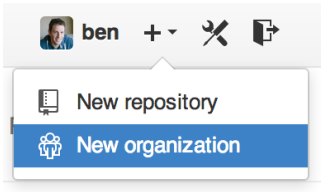 Figure 125 p. 211
The “New organization” menu item
GitHub organizationRepository
Figure 125 p. 211
The “New organization” menu item
GitHub organizationRepository
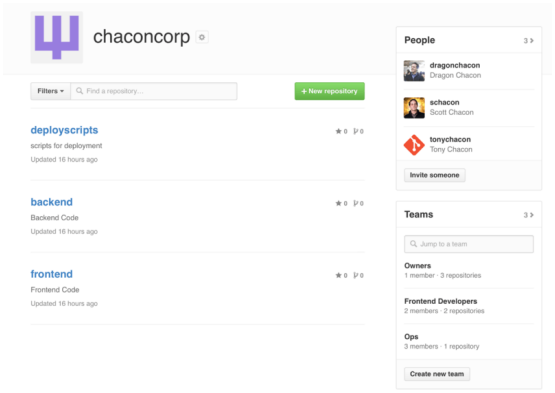 Figure 126 p. 212
The Organization page
GitHub organizationRepository
Figure 126 p. 212
The Organization page
GitHub organizationRepository
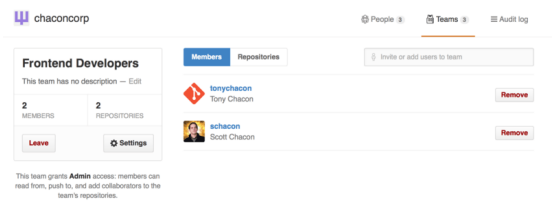 Figure 127 p. 213
The Team page
Collaboratorgit pushRepository
Figure 127 p. 213
The Team page
Collaboratorgit pushRepository
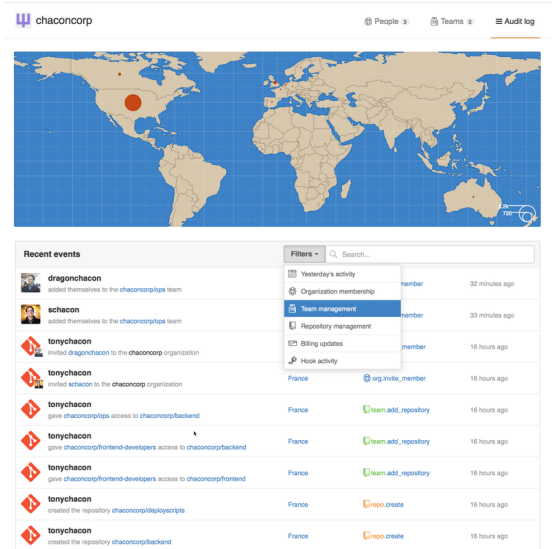 Figure 128 p. 214
The Audit log
Git hooksGitHub organizationRepository
Figure 128 p. 214
The Audit log
Git hooksGitHub organizationRepository
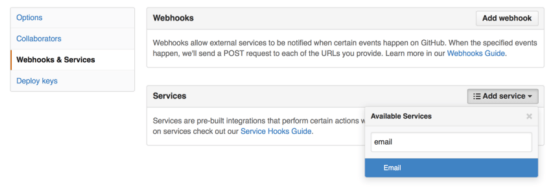 Figure 129 p. 215
Services and Hooks configuration section
Git hooksCollaboratorgit checkoutGitHub
Figure 129 p. 215
Services and Hooks configuration section
Git hooksCollaboratorgit checkoutGitHub
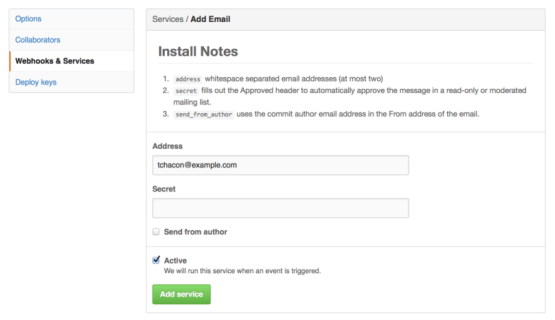 Figure 130 p. 215
Email service configuration
AuthorCollaboratorCommit
Figure 130 p. 215
Email service configuration
AuthorCollaboratorCommit
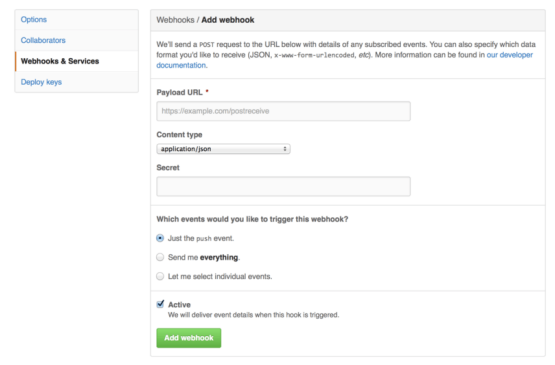 Figure 131 p. 216
Web hook configuration
Git hooksCollaboratorgit push
Figure 131 p. 216
Web hook configuration
Git hooksCollaboratorgit push
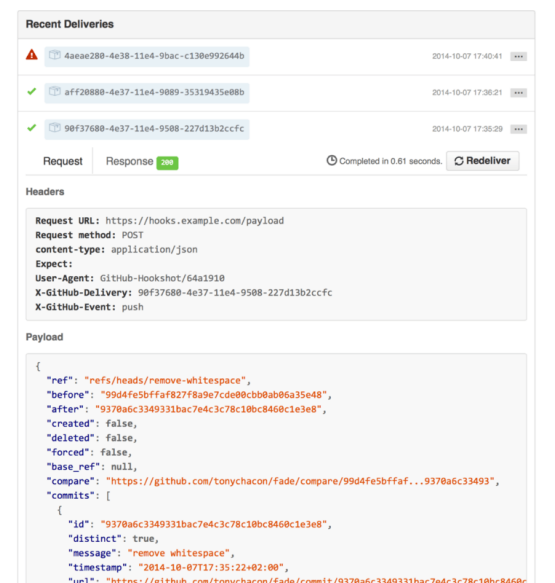 Figure 132 p. 218
Web hook debugging information
Git hooksCommitgit pushGitHubReference
Figure 132 p. 218
Web hook debugging information
Git hooksCommitgit pushGitHubReference
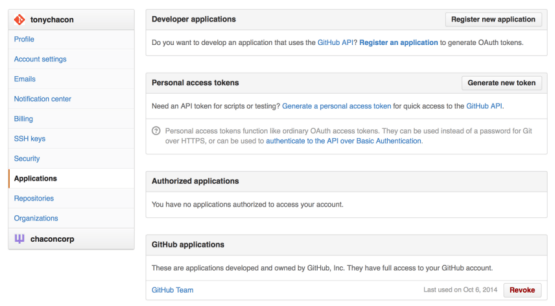 Figure 133 p. 220
Generate your access token from the “Applications” tab of your settings page
GitHubGitHub APISSH public key
Figure 133 p. 220
Generate your access token from the “Applications” tab of your settings page
GitHubGitHub APISSH public key
 Figure 134 p. 221
A comment posted from the GitHub API
GitHub API
Figure 134 p. 221
A comment posted from the GitHub API
GitHub API
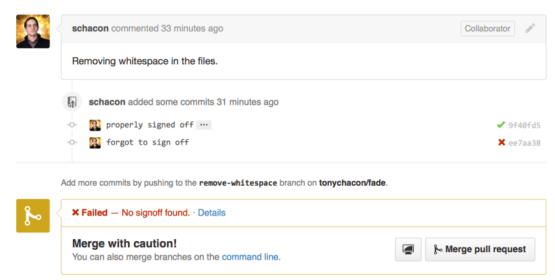 Figure 135 p. 223
Commit status via the API
CommitGitHub APIBranchCollaboratorCommand line+3
Figure 135 p. 223
Commit status via the API
CommitGitHub APIBranchCollaboratorCommand line+3